

Please note: This website contains affiliate links. As an Amazon Associate, we earn from qualifying purchases at no additional cost to you.
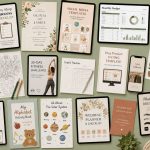
Most lists of digital products to sell online give you the same ten ideas recycled in a slightly different order. A planner. A calendar. Some Canva templates. Maybe a budget spreadsheet if they’re feeling adventurous.
And then you’re supposed to… go build a business from that?
Here’s what those lists don’t tell you: the market for digital downloads is genuinely enormous right now — we’re talking a $157 billion global economy and is on track to explode to over $511 billion, growing at an incredible 26.6% annual rate.
What is even more promising for creators is that 68% of internet users now actively pay for downloadable or digital content every single month. The demand is there. The buyers are there. What’s missing is someone willing to look past the obvious.
We’re going to do just that in this article.
We dug into what’s actually moving — from high-utility e-commerce templates and business workflows to the surprisingly massive search ecosystem around digital art files — to bring you a list of digital product ideas that go well beyond the basics.
Whether you’re selling on Etsy, on your own site, or just figuring out where to start, you’ll find something in here worth building.
Jump to the Section That’s Interests You Most:
- Digital Wall Art & Home Decor
- Print on Demand + eCommerce Digital Downloads
- Social Media + Content Creator Resources
- Business + Technology Tools
- Health, Fitness + Nutrition
- Parenting, Homeschool & Kids’ Activities
- Event Branding + Wedding Bundles
- Creative Pro + Tech Hobbyist Digital Products
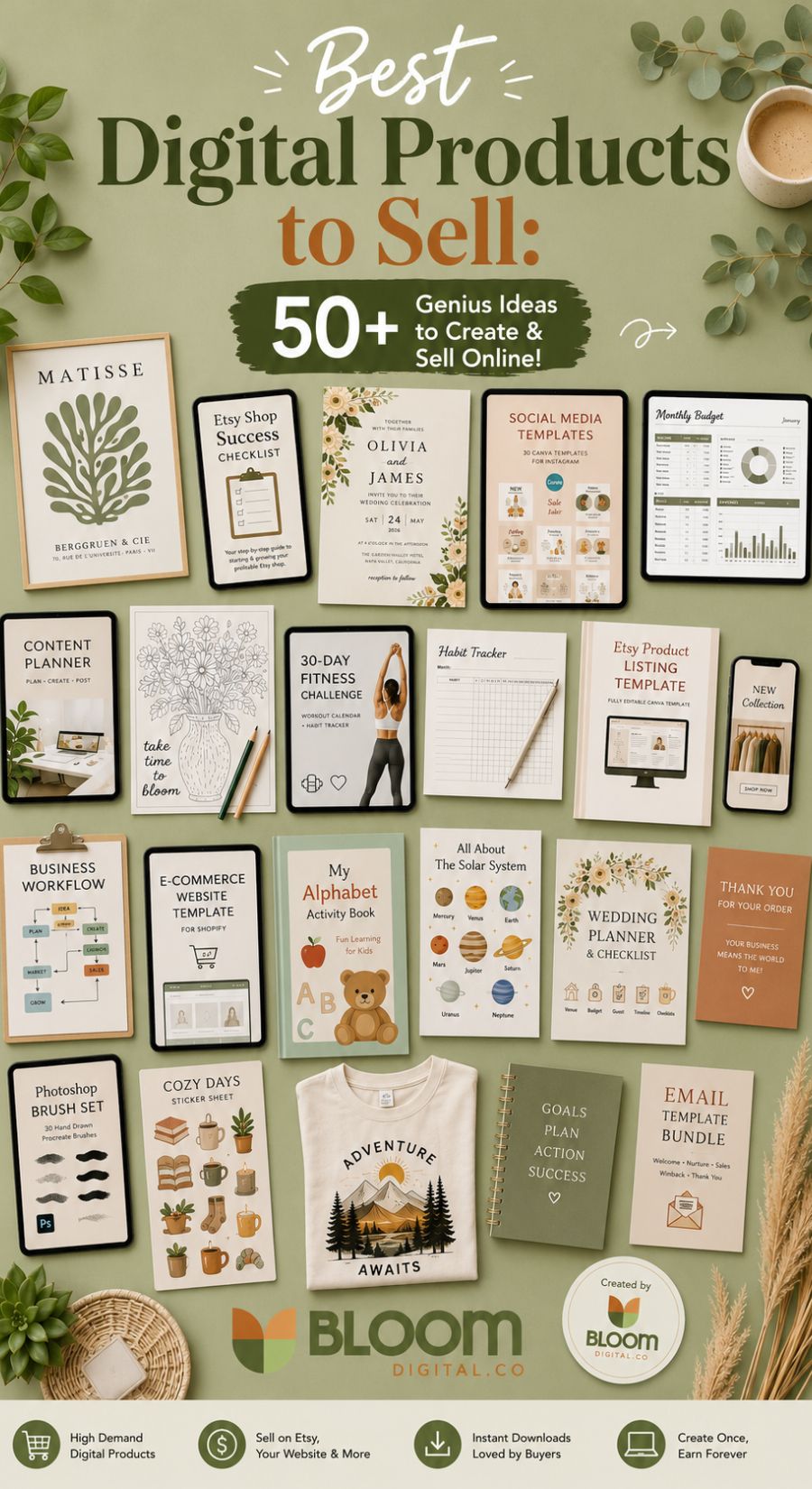
The Ultimate List of the Best Digital Products to Sell
This directory of digital product ideas to sell on Etsy (or anywhere online) will show you exactly what types of unique assets are moving the needle right now. Prepare to be inspired…
Digital Wall Art & Home Decor (The Visual Powerhouses)
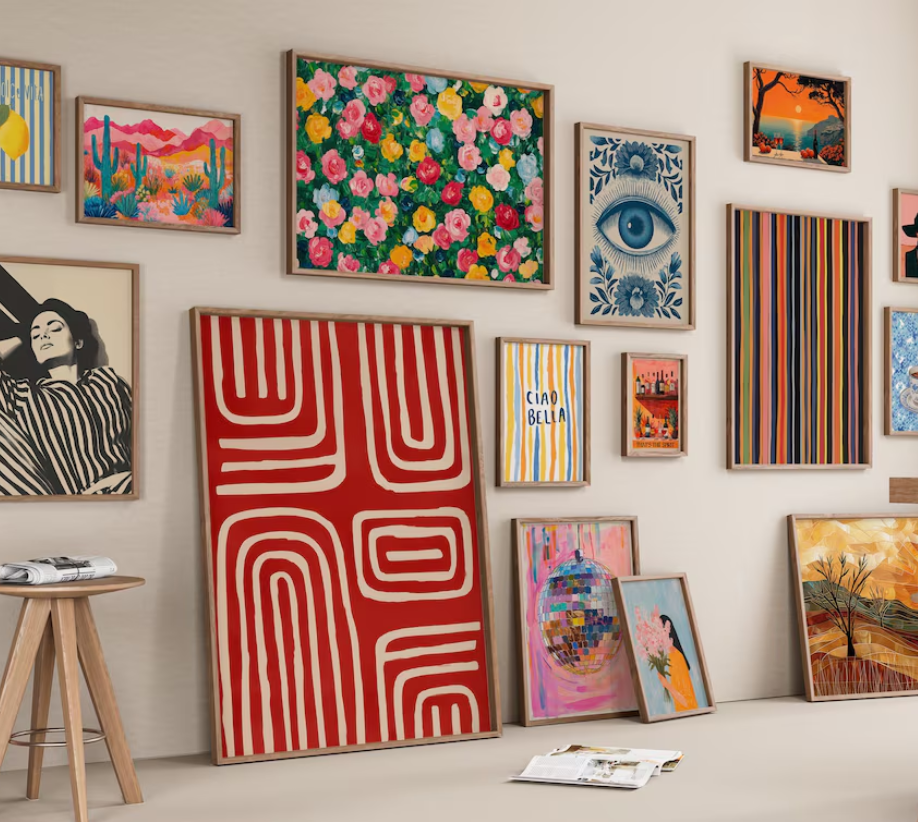
Printable wall art is an absolute juggernaut on visual platforms like Pinterest. Buyers love it because it offers instant gratification. Instead of paying premium prices for physical decor and waiting weeks for shipping, they can purchase a file, print it locally or at home, and completely transform their space on a budget.
- Abstract & Minimalist Line Art: Clean, single-line drawings of faces, botanical elements, or silhouettes that appeal to modern, minimalist home aesthetics.
- Vintage & Oil Painting Reproductions: High-resolution digital remasters of antique, public-domain artwork that give spaces an expensive, curated thrift-store look.
- Pre-Sized Gallery Wall Bundles: Curated collections of 3 to 6 matching prints (e.g., a “Cozy Coastal” or “Moody Academic” theme) sold together so buyers don’t have to stress about matching art.
- Samsung Frame TV Art: Specialized, horizontally formatted images designed specifically to look like real paintings on smart TVs when they are set to ambient mode.
- Nursery & Kids’ Room Art: Bright, whimsical, or educational prints (like watercolor animals or custom alphabet charts) that parents can easily swap out as their kids grow.
- Boho & Botanical Illustrations: Warm, earthy-toned leaf designs and mid-century modern geometric shapes that remain incredibly trendy for apartments and offices.
💡 Bloom’s Pro-Tips:
- Don’t just list a flat image and hope for the best. You can create or purchase art mockups to show your art in frame in a cozy living room so people can visualize what it might look like in their home.
- To skyrocket your 5-star reviews and reduce custom service questions, include a simple, 1-page “Printing Guide” PDF with every purchase. Make sure they understand the maximum printing size (i.e. 24×36) and give them recommendations on what paper weight to use (like 200gsm matte cardstock) and recommend a few affordable printing services.
The E-Commerce & Print on Demand Ecosystem
Millions of people run Print on Demand (POD) and Etsy shops, and they are constantly looking for ways to speed up their workflow. By creating micro-assets for these sellers, you enter a highly profitable B2B space where customers willingly pay for tools that save them time.
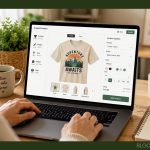
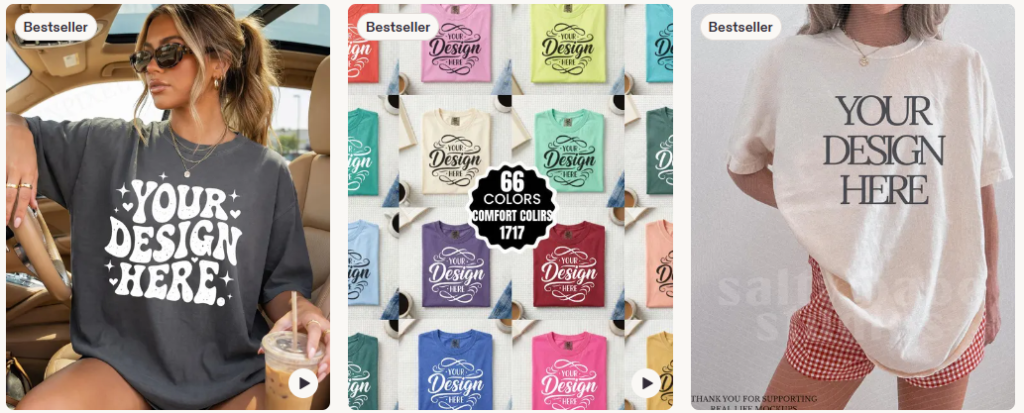
- Apparel & Product Mockups: Aesthetic JPEG or PSD files showing blank t-shirts, hoodies, or mugs in real-world settings so sellers don’t have to purchase and photograph physical inventory.
- PNG Clipart Sets: Themed, high-resolution graphic packs with transparent backgrounds (like “vintage varsity letters” or “watercolor wildflowers”) used by other designers to build their own unique layouts.
- Seamless Repeat Patterns: Perfectly tileable design files used for fabric printing, wallpaper, scrapbooking, or background wrapping paper.
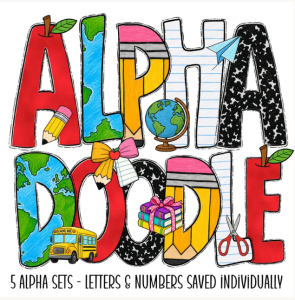
- Doodle Alphabets / Sublimation Alpha Bundles: Hand-patterned, beautifully textured sets of single letters (A–Z) that custom apparel makers drag and drop to spell out unique names or phrases.
- Tumbler & Mug Wraps: Pre-sized, edge-to-edge sublimation graphics (typically designed for 20oz or 30oz straight tumblers) that crafters print and press directly onto drinkware.
- SVG Cut Files: Vector graphics engineered specifically for hobbyists and businesses operating Cricut or Silhouette vinyl cutting machines.
- “Build-a-Character” Customization Kits: A digital folder of interchangeable PNG assets (containing 20 hairstyles, 10 skin tones, and various clothing options) used by shop owners to create personalized gifts.
- Vintage T-Shirt Distressing Overlays: Transparent PNG grids of “cracks” or “grunge” textures that sellers can slap over any crisp graphic to instantly give it a trendy, retro thrifted look.
- Aesthetic Size Charts & Color Swatches: Stylized, on-brand sizing grids that apparel sellers display in their shops so customers know exactly how a garment fits.
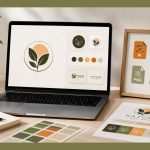
- Etsy Shop Banner & Branding Suites: Complete digital storefront packages containing matching headers, profile icons, and receipt templates tailored to specific shop niches.
💡 Bloom’s Pro-Tips:
- If you are doing t-shirt or sweatshirt mockups, I recommend using real models (not AI). There are quite a few AI mockups out there, but they just don’t sell as well – or for as much – as a mockup image with a real person.
- Try grouping your apparel graphics into “Pocket & Back Duos.” Offer a small, simplified version of your design for the front left chest (pocket) paired with a large, detailed graphic for the back. POD sellers love these because offering two-sided apparel allows them to charge premium prices in their stores.
- If you’d like to see what types mockups and other POD products are selling, I highly recommend using a tool like Everbee – it will show you exactly how many are selling and you can also research the top sellers to see how much they are earning each month. It’s a great way to gauge your income potential before choosing a niche.
Content Creator & Social Media Assets
Content creators and social media managers are notoriously time-poor. Because consistency is the lifeblood of their businesses, they are highly motivated to buy assets that help them produce high-quality media at lightning speed.
- Faceless Video Aesthetics (B-Roll Footage Bundles): Packs of short, aesthetic, high-definition videos (e.g., cozy morning routines, workspace typing, city walks) for creators running “faceless” social accounts.
- Canva Template Kits: Plug-and-play social media grids, carousel layouts, and Pinterest pin frameworks tailored to specific industries (like real estate agents, aesthetic injectors, or business coaches).
- Twitch & YouTube Streamer Graphics: Complete stream overlays, animated transition screens, subscriber alert badges, and custom chat emotes for gamers.
- Lightroom Photo Presets & Video LUTs: One-click color grading filters that give influencers and small brands a cohesive, polished visual aesthetic.
- Podcast Launch Kits: Design templates for podcast cover art paired with intro/outro music loops and promotional audiogram frameworks.
- After Effects / Premiere Product Promo Templates: Short, dynamic video templates where digital sellers can quickly drop in their logos or products for high-end TikTok and Instagram ads.
💡 Bloom’s Pro-Tip: When selling Canva templates, always customize them for a specific, ultra-focused sub-niche. A generic “Instagram Template Kit” struggles to compete. A “30-Day Instagram Carousel Kit for Plant-Based Nutritionists,” however, solves a highly specific problem for a specific buyer who will gladly pay a premium.
High-Utility Business & Tech Tools
People don’t just buy aesthetics; they buy efficiency, organization, and sanity. Building tools that help professionals automate their daily tasks or organize their workflows is one of the most stable ways to build a digital product business.
- Notion Dashboards & Systems: Integrated, aesthetic workspaces engineered for project management, habit tracking, student life, or client portals.
- Advanced Spreadsheet Calculators: Deeply formulated Google Sheets or Excel templates built for automated personal budgeting, freelance pricing estimators, or business ROI tracking.
- AI Prompt Guides & Libraries: Meticulously engineered, copy-and-paste prompt libraries for tools like ChatGPT, Midjourney, or Claude to help professionals get instant, elite outputs.
- Client Onboarding & Offboarding Kits: Professional welcome guides, pricing structures, feedback forms, and service agreement templates built in Canva or Word for freelancers.
- Standard Operating Procedures (SOPs): Pre-written business workflows and daily operational checklists that save small businesses from writing protocols from scratch.
- Corporate Resume & Cover Letter Frameworks: Clean, beautifully formatted, ATS-friendly resume designs optimized for Word or Google Docs.
💡 Bloom’s Pro-Tip: If you are building spreadsheets or Notion dashboards, record a quick 3-minute video walkthrough showing exactly how to use the tool and embed it as a link inside the product. It reduces confusion, cuts down on troubleshooting messages, and vastly improves user adoption.
Health, Fitness & Nutrition Assets (The Lifestyle Boosters)
Health and wellness are massive visual drivers online. People are constantly looking for structure, motivation, and clarity when trying to hit their personal goals, making well-designed guides incredibly appealing.
- Targeted Nutrition & Meal Plans: Goal-specific guides containing macro-calculated breakdowns, such as fat loss structures, high-protein muscle gain schedules, or anti-bloat meal rotations.
- Niche Recipe Books & Bundles: Single-topic recipe lists or micro-cookbooks, such as “5-Ingredient High-Protein Meal Prep” or “Gut-Friendly Vegan Snacks.”
- Niche-Specific Workout Blueprints: Highly targeted training routine PDFs, like “12-Week Half-Marathon Preparation Plans” or “Mobility Flow Routines for Desk Workers.”
- Progressive At-Home Gym Guides: Step-by-step workout programs requiring minimal equipment, like a 6-week progressive bodyweight strength guide.
- Interactive Workout Logs & Trackers: Fillable PDFs or automated Google Sheets designed to track weight, sets, reps, and measurements over time.
- Habit & Accountability Calendars: Printable 30-day challenge trackers designed around streak psychology to help users build movement and hydration consistency.
- Fitness & Gym Motivation Affirmation Cards: Printable or smartphone-sized card decks featuring positive, empowering quotes tailored to fitness beginners.
- Exercise Technique Cheat Sheets: Visual form cue cards or reference graphics showing correct body alignment and common errors for major structural movements.
💡 Bloom’s Pro-Tips:
- Make your health and fitness downloads fully interactive. Instead of just static PDFs, use fillable form fields so your customers can tap, type, and check off their daily habits or meals directly from their smartphones while they are at the gym or grocery store.
- If you’d like to research what types of meal plans, habit trackers or fitness digital products are selling the best on Etsy, I would highly recommend using a tool like Everbee – it will show you exactly how many are selling and you can also research the top digital sellers to see how much they are earning each month.
Parenting, Homeschool & Kids’ Activities
The demand for screen-free, educational entertainment for kids has absolutely surged. Parents and homeschool educators are constantly scouring the internet for instant, high-quality printable activities to keep kids engaged, learning, and creating without relying on a tablet or TV.
- Homeschool Curricula & Lesson Plans: Weekly or monthly learning schedules, alphabet tracing guides, and early math worksheets for preschool through elementary ages.
- Printable Theme-Party Kits: Cohesive, downloadable event packages containing birthday banners, cupcake toppers, themed water bottle wrappers, and party games.
- Educational Flashcards & Sensory Mats: Cognitive matching games, anatomy flashcards, and interactive cut-and-paste mats designed for hands-on sensory bins.
- Downloadable Activity & Coloring Books: Themed coloring page bundles (e.g., dinosaurs, space, or seasonal holidays) that parents can print out on demand for rainy days.
- Chore Charts & Routine Trackers: Visual, kid-friendly morning and evening routine checklists that help parents gamify daily habits and responsibility.
💡 Bloom’s Pro-Tip: Tap into holiday and seasonal search spikes! Parents search heavily for printables around specific events like “Back to School,” “Halloween countdowns,” or “Summer bucket lists”. Creating seasonal bundles is the fastest way to get your pins saved to thousands of parenting boards.
Event Branding & Celebration Suites (The Milestone Market)
Planning a major life milestone—whether it’s a wedding, a milestone birthday, or a baby shower—is incredibly stressful. Modern hosts are moving away from piecemeal decorations and are turning to digital designers to buy complete, matching visual branding kits. This ensures that every element, from the initial digital text message invite to the buffet table place cards, shares the exact same elegant aesthetic.
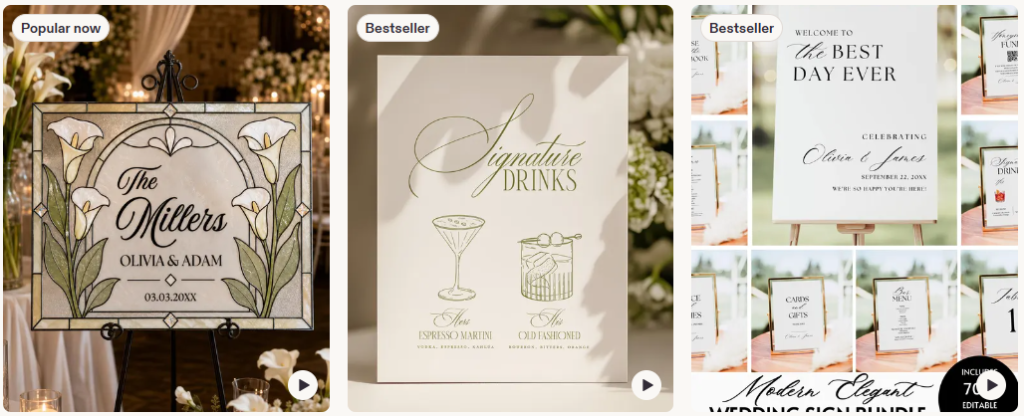
- Cohesive Wedding Invitation Suites: All-in-one downloadable packages that include matching Save-the-Date graphics, formal invitations, engagement announcements, RSVP cards, and details/accommodation inserts.
- Day-Of Reception Signage Bundles: Complete matching sets of printable signs for the venue, including “Welcome to Our Wedding,” bar menus, buffet/allergen label cards, custom guest book signs, and dessert table labels.
- Interactive Digital Evites & Video Invites: Smartphone-optimized Canva templates, animated video invitations, or digital cards with clickable RSVP links that hosts can text or email directly to guests.
- Tabletop Setting & Seating Assets: Matching template sets for table numbers, elegant individual guest place cards, and large, editable seating chart posters arranged alphabetically or by table.
- Bachelorette & Bachelor Party Itineraries: Whimsical, theme-specific multi-page weekend itinerary cards (like a “Camp Bachelorette” layout) that bridal parties can print out or keep as a PDF on their phones.
- Baby Shower & Bridal Shower Game Packs: Themed, print-at-home interactive group games, such as “Baby Emoji Pictionary,” “Guess Who: Bride or Groom,” or custom bingo sheets.
- Holiday Greeting & Thank You Templates: Customizable seasonal photo cards (e.g., Christmas, New Year, or Graduation) that families can drop their personal photos into and print locally.
- Comprehensive Wedding Planners & Trackers: Digital planner binders or automated Google Sheets built for the happy couple to manage vendor contracts, seating arrangements, budget allocations, and timelines.
💡 Bloom’s Pro-Tip: The secret to dominating the wedding and event niche is offering what designers call an “All-In-One Bundle.” Don’t just list a standalone wedding menu card. Package it together with matching table numbers and place cards. Brides will gladly pay three times the price for a bundle because it guarantees a cohesive look across their tablescapes and completely eliminates the stress of coordinating separate designs!
The Creative Pro & Tech Hobbyist “Catch-All”
This is the ultimate intersection of specialized tech, software extensions, and maker blueprints. Buyers in this category aren’t looking for casual crafts; they are creative professionals, digital artists, and tech hobbyists who will happily pay a premium for specialized digital tools that expand their hobbies or professional capabilities.
- Procreate Brushes & Palettes: Custom digital paintbrushes, textures, calligraphy stamps, and curated color schemes engineered specifically for digital illustrators using the iPad.
- 3D Printing Files (STL): Digital blueprints, schematics, and structural files for hobbyists to print everything from tabletop gaming miniatures to replacement household parts.
- Discord Server Templates: Instantly installable, pre-configured server setups complete with organized text channels, automated bot rules, and custom user role layouts.
- Laser Cutting Blueprints (DXF/SVG): Precise vector files for Glowforge and laser-cutter owners to create physical 3D wooden signs, acrylic jewelry, or custom storage boxes.
- Custom Fonts & Typography: Hand-drawn font files (.TTF or .OTF) built for unique design aesthetics, commercial branding, or specific craft trends.
💡 Bloom’s Pro-Tip: The niche software market is incredibly lucrative. Creators who sell specialized Procreate brush packs often build massive income streams because digital artists are always looking for tools that speed up their workflow. Always include a “Before and After” or a quick time-lapse video in your listing to show exactly what your brushes or blueprints look like in action!
Best Digital Products to Sell: FAQs
Do I need to be a professional designer to create these digital downloads?
Not at all. While having an eye for design helps, you don’t need a degree or expensive software like Adobe Illustrator to get started. Free or low-cost user-friendly graphic design platforms like Canva have leveled the playing field, offering pre-sized canvases, commercial-use fonts, and drag-and-drop tools that make professional creation accessible to absolute beginners.
Can I use AI tools to generate these digital products?
Yes, absolutely! AI tools like ChatGPT and Claude are incredible for brainstorming, structuring, and generating digital products rapidly. You can use AI to write out the code for complex spreadsheet calculators, generate high-converting AI prompt libraries, or create the initial graphics for wall art and patterns.
You can also use AI image generating tools like Ideogram (personal favorite!), Midjourney and even Canva’s new AI tools!
However, the secret to making a product that actually sells is the “human edit.” Use AI to build the foundation, but always step in to customize, format, quality-check, and add your own unique value before listing it for sale.
Are there legal rules about using AI or Canva to sell digital downloads?
Yes, and you need to be careful here.
- For Canva: You can sell designs you created from scratch in Canva, but you cannot take a pre-made Canva template, change the color, and resell it as your own.
- For AI: While you can use AI to assist in your creation process, most marketplaces (like Etsy) require you to disclose if AI was used to generate the final product. Additionally, standard AI-generated outputs often cannot be legally copyrighted, so it is always best to significantly alter, combine, or enhance AI assets to ensure you are selling a truly unique product.
Where is the best place to sell these digital items?
For absolute beginners, Etsy is the easiest place to start because it has an established ecosystem of millions of buyers actively searching for digital downloads. If you want full control over your branding and customer data without paying listing fees, platforms like Shopify, Stan Store, or Gumroad are fantastic alternatives once you start driving your own traffic from platforms like Pinterest.
Which Niche Will You Build First?
The secret to thriving in the digital product space isn’t trying to sell all 50 of these items at once. It’s about picking one core audience, understanding their specific pain points, and building a high-quality suite of digital tools that makes their lives easier.
Whether you choose to design stunning art pieces for someone’s home, build time-saving tools for Print on Demand store owners, or program automated spreadsheets for busy freelancers, the opportunity for passive income is massive.
Pick your category, design your first asset, and get it out into the world!
SOURCES:
- Future Market Insights – Digital Illustration App Market
- Pinterest Parenting Trend Report
- Mordor Intelligence – Digital Goods Market Share + Analysis
Please note: This website contains affiliate links. As an Amazon Associate, we earn from qualifying purchases at no additional cost to you.